
In the race to deploy AI agents, a critical misconception persists: that simpler, cheaper models are “safer.” The opposite is true. Using a more powerful AI model like Anthropic’s Claude 3.5 Sonnet is a fundamental security benefit, primarily because advanced models are significantly more resistant to malicious prompt injection attacks. This principle is the bedrock of securing systems like the self-hosted OpenClaw agent runtime.
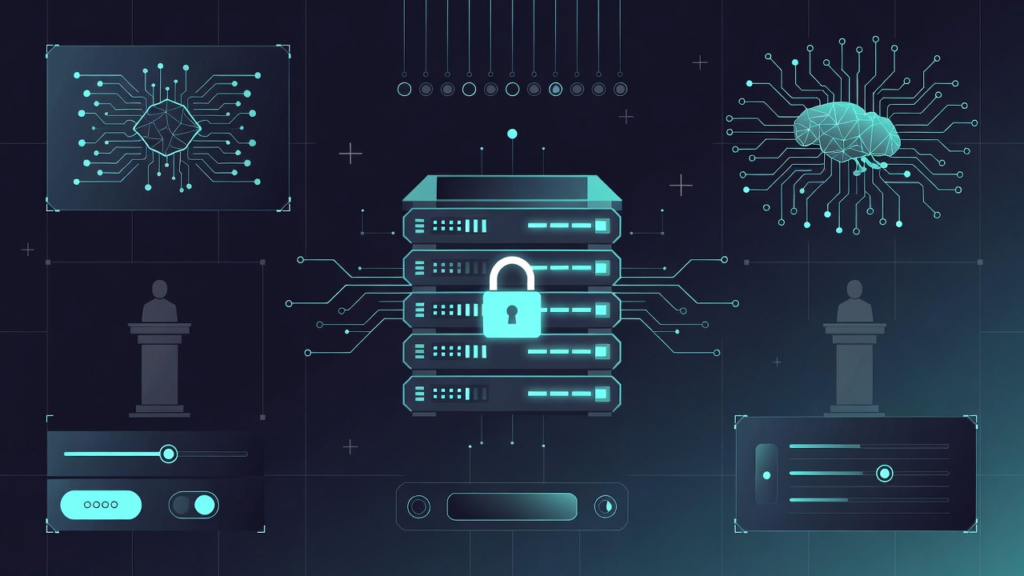
Security Truth: Powerful Models Like Claude 3.5 Sonnet Understand “Intent” Over “Literal Commands”
Prompt injection is the art of tricking an AI into ignoring its original instructions. A weaker model might blindly follow a user’s sneaky embedded command. A sophisticated model like Claude 3.5 Sonnet is better at contextual reasoning and adhering to its core system prompt, acting as a smarter first line of defense.
Think of your AI model as the agent’s brain. A more capable brain is harder to hijack. This isn’t a feature—it’s the foundation of AI agent security.
OpenClaw Blueprint: A Self-Hosted Agent Runtime Built for Automation
This security-first philosophy is engineered into OpenClaw, a platform that turns powerful AI into an automated assistant. It’s designed for tasks where security cannot be an afterthought.
- Core Function: Automates email triage, system tasks, smart home control, and complex workflows.
- Key Features: Persistent memory, multi-agent personas, and an extensible skill system.
- Core Security Warning: Terminal access is inherently dangerous, mandating sandboxing.

System Requirements: The Secure Foundation
Your deployment environment is part of your security model. OpenClaw requires:
- Linux OS
- Node.js v22+
- Package Manager (npm, pnpm, bun)
- Critical Optional Tools: Docker (for sandboxing) and a VPS (for recommended 24/7 isolated operation).
Installation Paths: Local CLI vs. Secure VPS (Recommended)
You have two primary paths, but one is clearly superior for a secure, always-on agent.
Method 1: The Local Linux CLI Quickstart
This method is for initial testing on a local machine.
- Install Node.js v22+: Verify with
node -v. - Install OpenClaw Globally: Run
npm install -g openclaw. - Run Setup & Daemon: Execute
openclaw onboard --install-daemonto install a systemd service. - Configure the Wizard: Choose your model provider (Anthropic/OpenAI/Google), paste your API key, and set your gateway bind.
Method 2: VPS Deployment – The 24/7 Secure Haven
For a production agent, a Virtual Private Server (VPS) is the professional standard. It provides isolation, uptime, and easier sandboxing.
- Provision a VPS: Use a provider like Hostinger (KVM2 plan) with a Linux LTS OS.
- Enable Docker: Activate the Docker Manager from your control panel.
- Deploy from Catalog: In Docker, search for “OpenClaw,” deploy the container, and paste your AI API Key and Gateway Token.
- Access Dashboard: Check status, open the default port (18789), and log in with your token.
The VPS method physically isolates your AI agent from your personal network, creating a security boundary that a local install cannot match.

Post-Install Lockdown: Commands & Channel Security
After installation, these commands and configurations are your active security patrol.
openclaw status– Check gateway heartbeat.openclaw health– Run full system diagnostics.openclaw doctor fix– Automatically repair common issues.openclaw security-audit --deep– The critical command for a thorough vulnerability scan.
Secure Chat Integration: Telegram & WhatsApp
Connecting channels is powerful but requires caution.
- Telegram: Never share the HTTP API token from @BotFather; it grants full control.
- WhatsApp: Always whitelist your number in
channels.whatsapp.allowFromafter scanning the QR code.
Sandboxing 101: How OpenClaw Locks Down Terminal Access
This is where software containment meets your powerful AI model. The default sandbox mode (non-main) is a crucial security feature.
How it works: Only your designated “main” agent has direct host access. All other agents and skills are forced to run inside isolated Docker containers, preventing a compromised task from affecting your core system.
Sandboxing is your mandatory safety net. It ensures that even if a prompt injection somehow tricks the model, the damage is contained within a disposable container.

The Ultimate Security Checklist for Your AI Agent
Deploying OpenClaw securely is a multi-layered process. Follow this definitive list.
- ✅ Model Choice: Always use strong, advanced models like Claude 3.5 Sonnet or GPT-4o for their inherent resistance to manipulation.
- ✅ Enforce Sandboxing: Verify config:
agents.defaults.sandbox.mode = "non-main". - ✅ Use a VPS: Isolate your agent and enable the host’s auto-backup features.
- ✅ Audit Religiously: Run
openclaw security-audit --deepperiodically. - ✅ Lock Down Channels: Securely store API tokens and whitelist chat numbers.
- ✅ Update Systematically: Use
openclaw update --channel stableto patch vulnerabilities.
Security is not a setting; it’s an architecture. Start with a powerful, reasoning AI model, build on an isolated foundation, and enforce strict operational containment. That’s how you harness automation without becoming vulnerable to it.