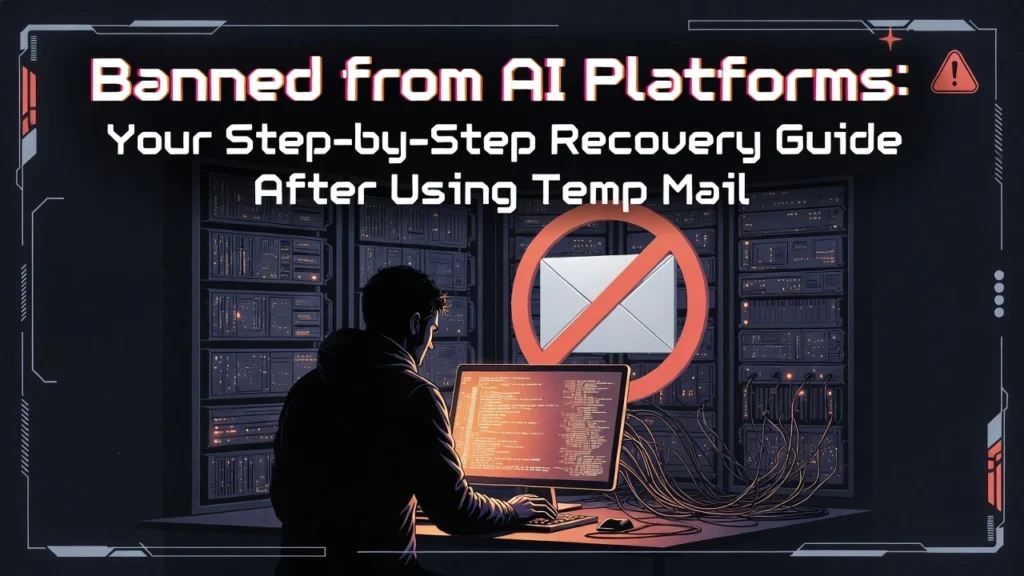

Getting locked out of ChatGPT or Claude because you used a temporary email is a frustrating privacy paradox. Your account is not necessarily lost forever. Recovery is a multi-step chess game against automated systems, but with the right appeal strategy and migration plan, you can regain access or establish a new, secure presence.
Why AI Platforms Instantly Ban Temporary Email Addresses
This isn’t a personal penalty; it’s an automated defense. AI platforms like OpenAI associate disposable email domains with a high risk of platform abuse.
- Spam & Botting: Temp mail is the tool of choice for mass account creation used for spam, scraping, or bot networks.
- Lack of Accountability: An email that expires in an hour cannot be used for verification, recovery, or establishing user identity.
- Fraud Prevention: Disposable emails are often linked to fraudulent sign-ups and policy evasion.
Using temp mail flags your account as “high-risk” from the moment you sign up, triggering automatic suspensions even if your intent was purely for privacy.
The Appeal Process: How to Write a Winning Case to Support
Your first and most official step is to appeal directly through the platform’s support system. Success hinges on appearing legitimate and cooperative.
Appeal Strategy: Verification and Honesty Are Key
Platforms need to verify you are a real user, not a bot. For example, access OpenAI’s “Suspended accounts” section to begin.
- Use Original Device & IP: Submit your appeal from the same computer and internet connection used to create the account. Avoid VPNs at this stage.
- Explain Honestly: Briefly state your reason (e.g., “I used a temporary email for privacy but am now ready to use a permanent account and comply with terms”).
- Provide Linked Details: Mention any verified phone numbers, backup emails, or transaction IDs associated with the account.
Expect response times to vary from a few days to several weeks. Patience and a single, well-crafted appeal are more effective than spamming support.

Immediate Action: Can You Recover the Temp Mail Itself?
If your appeal requires accessing a verification email sent to the temp address, act fast. By design, these services are ephemeral.
- Check Browser History/Cache: You may still have the inbox page open or saved in your cache.
- Use Service Recovery Tools: Some temp mail sites like TM-Mail.com have domain selectors; try re-selecting the same domain you used.
- Accept the Reality: Most temp mail services offer no support. If the inbox has expired, the data is gone forever.
This is the core weakness of temp mail for serious accounts: you lose all access to critical recovery codes and verification links once the inbox cycles.
Migration Strategy: Building a New, Undetectable Account
If your appeal is denied, creating a new account is your path forward. Platforms track device fingerprints, IPs, and behavior, so you must start clean.
New Account Setup Checklist to Avoid Instant Detection
- Permanent Email: Use a reputable service like Gmail or, better, a privacy-focused provider like Proton Mail.
- Different Browser or Device: Switch from Chrome to Firefox, or use a different computer/phone if possible.
- Fresh IP Address: Use a residential VPN or a different network (e.g., mobile hotspot) to get a new IP.
- Gradual Access: Don’t immediately make heavy API calls or use the account aggressively. Mimic normal human onboarding.
The goal is to appear as a completely new, legitimate user. Avoid any digital link to your banned account.
Critical Prevention: Never Use Temp Mail for 2FA or Recovery
This is a catastrophic mistake. Using a disposable email for two-factor authentication (2FA) recovery creates a single point of permanent failure.
- Instant Lockout Risk: When the temp inbox expires, you lose all password reset links and 2FA backup codes.
- Zero Security: Temp mail inboxes are often public or easily guessed, offering no encryption and making you vulnerable to interception.
- Platform Blocks: Many services proactively block all known temp mail domains from being used for 2FA setup.
For any account you care about, always link 2FA and recovery to a permanent, secure email you control.

Secure Alternatives: Ditch Temp Mail for These Privacy Tools
You can protect your primary email without the risks of disposables. Use these services for sign-ups instead.
Best Permanent Email Alternatives for AI Platforms
- Proton Mail / Tutanota: Offer end-to-end encrypted, permanent inboxes with alias features. Free tiers are sufficient for most.
- Alias Services (SimpleLogin, AnonAddy): Create unlimited forwarding addresses that send mail to your real inbox. You can disable aliases if spammed, but never lose access.
These alternatives provide persistent access for recovery, bypass platform domain blocks, and give you true control—turning a temporary fix into a permanent privacy solution.
The path from a ban back to access is defined by strategic appeals and smarter tools. By understanding why the ban happened and replacing temp mail with secure, permanent alternatives, you can secure your access to essential AI platforms without sacrificing your privacy.